
1.3 KiB
Routing audio
One of my personal requirements for a live coding system with SuperCollider is that I want to route audio to other applications. I often use my live coding system as a way to generate raw materials that go through various audio busses for post-mixing and live audio effects controlled through MIDI controllers. During the setup phase, I have encouraged you to install an application that allows the creation of virtual audio busses. That's where it is finally used.
The Boot pseudo-class is seting up the audio to output to 16 channels. You can
think of it as 8 stereo channels with 2 channels each. If you like quadriphony
or octophony, you can also use 4 or 8 channels at a time. The routing of audio
in the host application is entirely up to you but the gest of it is that you can
now record / post-process the sound in any way you want.
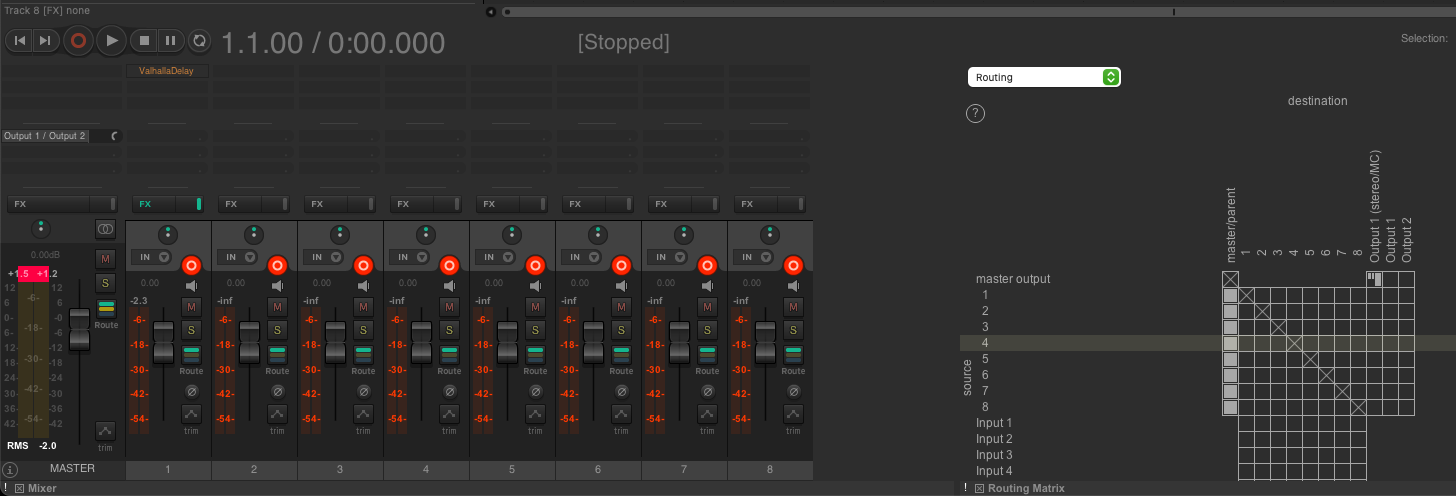
Sending audio to a bus
The .play method used by JITLib allows you to decide which output bus is going
to be used. All you have to do is to add some argument when calling the method:
~foo = { SinOsc.ar(200) ! 2 * 0.5 };
~foo.play(fadeTime: 4, out: 4);
This code snippet will play a sine wave on bus 5 and 6. Remember that the first bus is 0.